


ZDE ZP590A PCIe to M.2 E Key HAT PCIE to WiFi7 6 6E 5 Module Adapter Expansion Board for Raspberry Pi 5
ZDE ZP590A PCIe to M.2 E Key HAT PCIE to WiFi7 6 6E 5 Module Adapter Expansion Board for Raspberry Pi 5
Couldn't load pickup availability
Features:
WIFI7 is the latest 7th generation WIFI with faster speeds than previous generations of WIFI. And there will be more and more WIFI7 wireless routers, WIFI7 network cards and other devices.
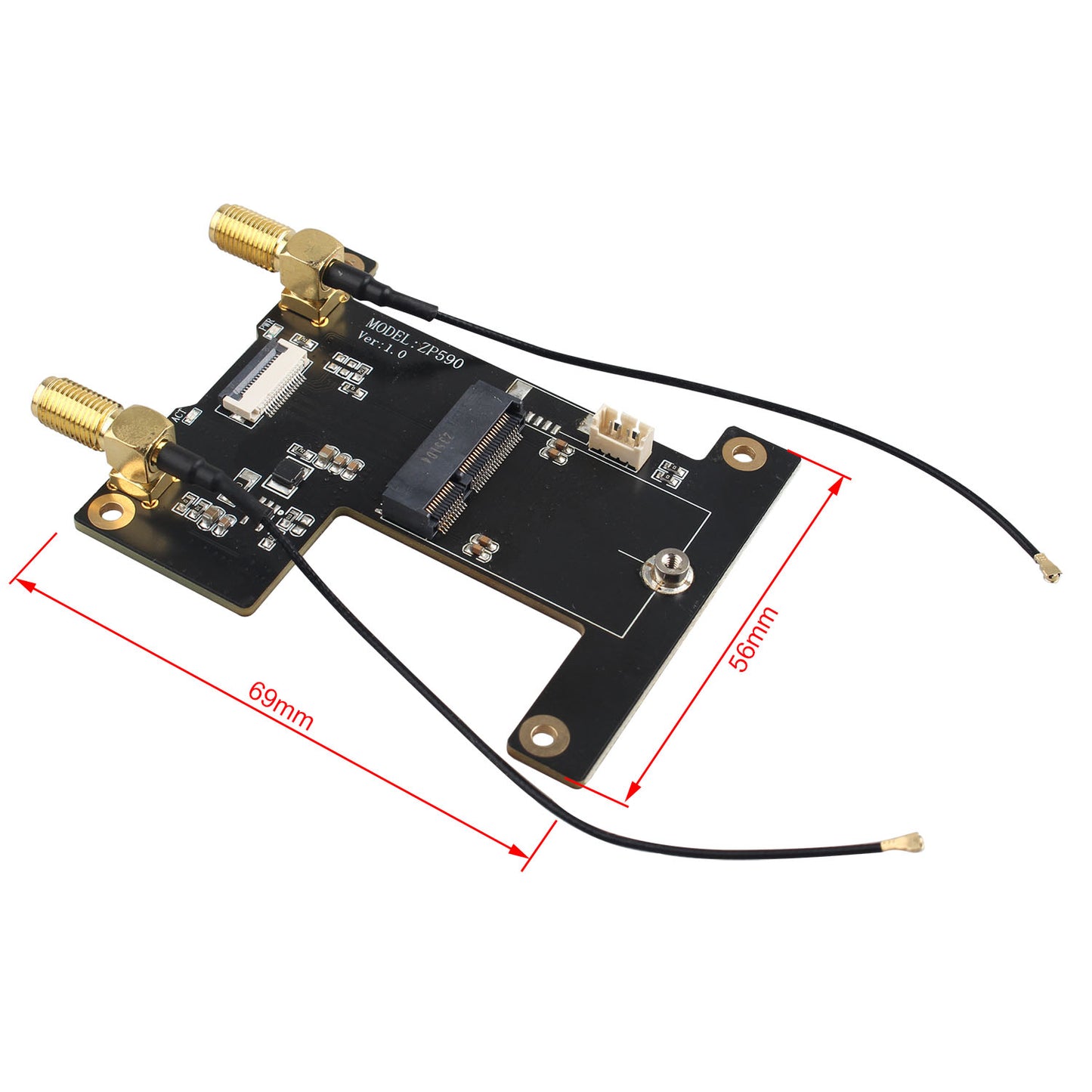
The ZP590A is an adapter board with PCIe interface for WIFI7, allowing Raspberry Pi 5 motherboard to use the latest WIFI7 module. The WIFI7 module can be inserted into the ZP590A adapter board via the M.2 E-KEY interface, which provides an opportunity for a wide range of Raspberry Pi 5 users to be able to use the latest WIFI7.
At present, Ubuntu supports wireless network cards of WIFI7 WIFI6(E) WIFI5, which can be used without installing drivers. The currently supported network cards include BE200, 8265C, AX200, AX210, MT7922.
To use the WiFi7/6/6E/5 wireless network cards, the Raspberry Pi OS needs to install a driver, it depends on how familiar you are with the wifi driver and Raspberry Pi OS. We have instructions about driver BE200, AX200, AX210.
The ZP590A acts as an adapter board between the WIFI7 WIFI6(E) WIFI5 module and the Raspberry Pi 5 motherboard. The performance of the wireless depends on the Raspberry Pi 5 motherboard, the operating system and the wireless module.
Packing List:
1 × PCIE to Wi-Fi7 Expansion Board
2 × WIFI Antenna
1 × PCIe FFC cable
1 × Screws Pack
Note: The Raspberry Pi 5 and WIFI module are not included.
Share


A real good value, nice WiFi adapter for Raspberry Pi 5, make sure you have a case that supports add on cards.
This HAT works as advertised and is plug-and-play. I had no issues getting my Pi 5 to recognize it and the WiFi 6 adapter I installed in it.
I would just advise that you make sure to get the official RPi 45W plug or equivalent, because the wifi card will either not power up or will have spotty connectivity if it doesn't have enough power.
I put this on my Raspberry Pi 5 to get wifi with an Intel AX210 card. it took about 10 minutes. Just had to connect the cable, mount the board, and secure the card.
I was following a tutorial because i am a beginner but this was easy and everything is working fine.
So this is basically a Wi-Fi module for a Raspberry Pi 5 and it works very well. This allows me to do what I want with my Raspberry Pi with very good connectivity. This thing has two large antennas and allows me to have a mini Wi-Fi enabled device. This thing is pretty straightforward in the board is actually very tiny so it's very easy to hook up. There's not really too much to it. You basically pop your Wi-Fi card on there and hook up the antennas and pop it on to the top of the Raspberry Pi and it's ready to rock and roll. I'm not going to get it into the ins and outs of installing it but there's actually tons of information online on how to do it correctly. This thing is a lot better than some of the other ones floating around online also. This thing arrived on time and very well packaged with no damage and it was very affordable so overall if you need a Wi-Fi module for a resume pie this is a definitely a good value. It gives me Tons of Speed for what I'm doing